posting photos

rockquarry

Member
Joined
Aug 9, 2005
Messages
11,061
Reaction score
14,174
Is there a simple (first grade level?) way to learn how to post photos here?
 
In order to post a pic it will need to be uploaded to hosting sight first, you cannot post pictures here (or on pretty much any forum) directly from your computer or cellphone.


Try imgur.com as a host. After uploading you'll see a link to your pic (BBS Link) that you can copy and paste into your post here.


This might help....or not.
How to Upload Images in BBCode: 5 Steps (with Pictures) - wikiHow
 
You can post direct from the iPad.
They just show up small.
 

Attachments

  • 4DF5B3CF-817C-400D-9AD5-E946A23968DB.jpg
    4DF5B3CF-817C-400D-9AD5-E946A23968DB.jpg
    110.9 KB
No need to upload to another place.

Scroll down to the Additional Options section

Click on Manage Attachments

Click on Browse

Click on the file in your computer you want to attach

Click on Upload

Voila!
 

Attachments

  • fat boy.jpg
    fat boy.jpg
    80.7 KB
Last edited:
No need to upload to another place.

Scroll down to the Additional Options section

Click on Manage Attachments

Click on Browse

Click on the file in your computer you want to attach

Click on Upload

Voila!

I just asked my daughter about this and wrote down her step-by-step directions and it worked. I think your described method is basically what she did.
 
Go to manage attachments. Browse. Pick the file on your computer. Upload.
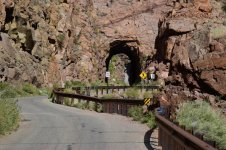
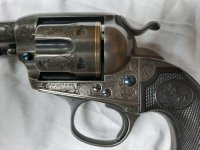
It doesn't bring up the big, nice pictures on the post. The reader has to click on the picture on the post. Here is an example.

And a very fine example it is! 👍
 
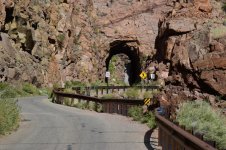
And all your photos can be embedded in large size in the text from the attachment, which I just did from your posts.

No host needed anywhere.

attachment.php


attachment.php


attachment.php
 

Attachments

  • IMG_20210622_120055034_HDR.jpg
    IMG_20210622_120055034_HDR.jpg
    91.5 KB
  • 4DF5B3CF-817C-400D-9AD5-E946A23968DB.jpg
    4DF5B3CF-817C-400D-9AD5-E946A23968DB.jpg
    110.9 KB
  • fat boy.jpg
    fat boy.jpg
    80.7 KB
Last edited:
Assuming you have the thumbnails attached to the post, as described above, here is how to get the large pictures into your post:

My way is not the only way, but it’s the only way I know and I’ve gotten used to it and not bothered exploring the other ones.

With my method, you have to be in advanced mode; it does not work from quick reply. If you want to work with a post you have already published, the edit button will automatically put you in advanced mode; if you are writing a new post, just click the advanced button below the quick reply window.

Click preview.

Under the text preview, click on the thumbnail to open the large picture.

Right click on the picture and click copy image address.

Use the back button to close the large picture.

Place the cursor and click the spot in the text window where you want to place the photo

Then click on the picture icon above the text window. An address box will pop up. Paste the image address into that box and click OK. The picture's URL will pop up in the text box at the location you chose earlier.

Click preview again, and the new preview should show you your photo in the location where you wanted it.

You can repeat this with up to the five pictures maximum which you can attach to a post. That is the only limitation compared to a hosting service where you can attach more pictures into a post and are not limited.
 
If you want the picture larger than it actually is, you have to do that separately on your computer ...

:D


attachment.php
 

Attachments

  • dad.jpg
    dad.jpg
    65.3 KB
Absaloms's post above is the real deal. I won't quote it to save bandwidth. I originally saw these instructions from Handejector and after a couple of miscues it worked like magic. Not as difficult as the instructions seem, although they are "complete."
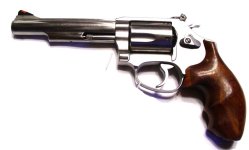
For example, a 60-18 5":
attachment.php
 

Attachments

  • SW 60-18 left.jpg
    SW 60-18 left.jpg
    43.8 KB

Attachments

  • randybanner[1].JPG
    randybanner[1].JPG
    43.3 KB
I've been trying to figure out how to post full size images. My problem is that there are no icons above the text box. Is there a way to turn them on?
 
Back
Top